Blog News
How to make sure you SEE all the Facebook Pages you like
Use the "Pages Feed" link on your home page to see all of the Facebook pages you have liked
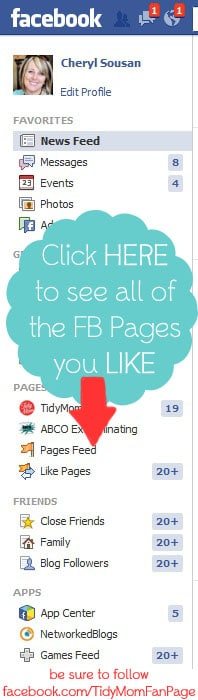
Are you as frustrated with Facebook as I am lately? I have a quick little Facebook tip for you today, I’m hoping you might be as excited to learn as I was!!
Have you wondered what has happened to all the pages/blogs/brands you have “LIKED” on Facebook – but are no longer seeing them in your feed stream?
Wonder no more!! They are all still there! Facebook has a handy little way to see them all and never worry about missing a recipe, giveaway, or other fabulous ideas! ~at least until Facebook changes things again 😉
Click here to repin this tip on Pinterest.
How to make sure you see all the Facebook Pages you “LIKE”
Go to your Facebook home page and look over at the left-hand side, below your profile picture. You should see “Pages Feed” If you click that, you will see the feed for all of the pages you follow!
yes, it’s not as convenient as having it in your home feed – but at least it’s there! And you won’t miss all the fun from the pages you WANT to SEE. I try to click over to the Pages Feed a few times a day.
Again………..a big thanks to Facebook for always changing things around for us 😉 {NOT}
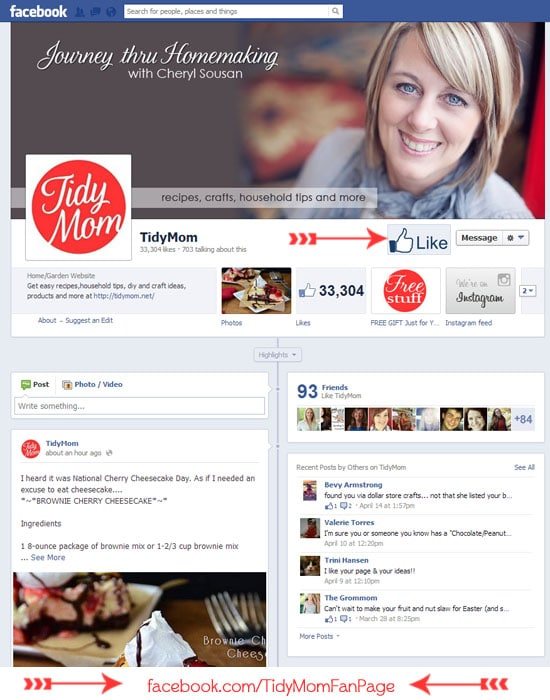
Don’t forget to check out the Cetcu Facebook page while you are there! It’s a great active community every day for recipes, crafts/DIY ideas, household tips, free tutorials and more!
If you have any other tips for making Facebook a little more “user-friendly”, please share them in the comments!